Creative
Mode
Create
Items or Blocks
Items or Blocks
20 downloads


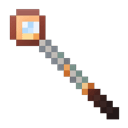
Description:
The Mob Marching Baton lets you select loaded mobs of the same type and make them march in a chosen cardinal direction in discrete one‑block steps at a global speed you control. Shift+Right‑Click in the air cycles the direction (NORTH → EAST → SOUTH → WEST; shown on the action bar), Right‑Click a mob (while not sneaking) selects every loaded mob of that type in the current world so they face and begin marching, Left‑Click any block or entity toggles marching globally START/STOP (action bar feedback), and Shift+Left‑Click cycles the global speed among Super Fast (2 ticks) → Fast (4) → Normal (8) → Slow (16) → Super Slow (32), applying immediately to all marching mobs. Before each step the baton checks the next column’s motion‑blocking surface height (ignoring plants without hitboxes) and will auto‑adjust mobs vertically up to ±6 blocks; if the difference exceeds ±6 an individual mob is set to STOP until you reselect it. The STOP option was removed from the direction cycle, and START/STOP plus speed are global controls that affect all marching mobs across loaded worlds.
Manage versions and create new iterations of this mod.
Click here for installation instructions
This will create a new version of "Mob Marching Baton" for Minecraft Java 1.20.1. The original mod will remain unchanged.
This mod is licensed under the CreativeMode Mods License.
This will create a new mod based on "Mob Marching Baton" with your modifications. The original mod will remain unchanged and you'll be credited as the author of the remix.
14
Nov 25, 2025, 02:59 PM
User request: create a custom item called “mob marching baton” that works explicitly like a command-block-driven controller for mobs. when a player right-clicks a mob (not sneaking) with the baton, detect that mob’s exact entity type and then select all mobs of that same type in the current dimension within simulation distance (i.e. all loaded entities of that type). conceptually, simulate this with command-block-style logic: first clear any previous selection by removing a global tag like mobmarch_selected from all mobs, then immediately add mobmarch_selected to every entity whose type matches the clicked mob and is within a large radius (e.g. @e[type=<that_type>,distance=..256]). selection should be global or per-player (your choice), but keep it consistent: only mobs with mobmarch_selected are ever moved by this system. the baton also encodes a cardinal direction state chosen via shift-right-click in the air. when the player sneak-right-clicks with the baton, cycle through the four directions in this exact order: north → east → south → west → back to north, etc. internally, represent the chosen direction using a scoreboard or equivalent integer flag, for example a dummy objective mobMarchDir on the player where 0=north, 1=east, 2=south, 3=west. each time the player shift-right-clicks, increment mobMarchDir modulo 4 and show the selected direction to that player via actionbar text like “march direction: NORTH / EAST / SOUTH / WEST” so they always know which way the mobs will move before they select. the currently chosen direction is global for that baton and is what will be used for all later movement commands until changed again by another sneak-right-click. as soon as the player right-clicks a mob with the baton (normal right-click, not sneaking) and the selection is applied, all selected mobs should immediately be “armed” to march in the currently chosen direction. you must implement the actual marching through a continuous, command-block-style tick system: add a global dummy scoreboard mobMarchTimer that increments every game tick via a repeating function. when mobMarchTimer reaches 8, run the movement “step” logic for all selected mobs, then reset mobMarchTimer back to 0, effectively making mobs step once every 8 ticks. treat this as if a repeating command block was running a function every tick and that function contained: “increment mobMarchTimer; if mobMarchTimer >= 8 then run movement commands and reset.” the movement step itself must behave exactly like a set of command blocks executing on each selected mob. on step: for each entity tagged mobmarch_selected, face it and move it exactly one block in the chosen cardinal direction. implement this directionally using four distinct command-block-equivalent branches tied to the value of mobMarchDir for the controlling player. for example, if the current direction is east, run something equivalent to: set rotation to face east (positive X): e.g. /data merge entity @s {Rotation:[90f,0f]} or a similar rotation setting so the mob visually looks east. immediately after, “walk” one block east using a teleport-like step: /tp @s ~1 ~ ~. similarly: north (negative Z): set rotation to 180° yaw (or -180) if you follow vanilla’s yaw convention, then /tp @s ~ ~ ~-1. south (positive Z): set rotation to 0° yaw, then /tp @s ~ ~ ~1. west (negative X): set rotation to -90° yaw (or 270°), then /tp @s ~-1 ~ ~. these commands should be run every 8 ticks for every entity tagged mobmarch_selected, so they appear to march in discrete one-block steps along a perfectly straight north/south/east/west line. do not allow any AI pathfinding to override this; the movement is entirely driven by these periodic “command-block” steps. tie it all together as follows in the implementation: custom item “mob marching baton” that, on normal right-click on a mob, clears previous selection, tags all loaded mobs of that type with mobmarch_selected, and immediately enrolls them into the marching system using the currently selected direction. shift-right-click cycles a single global direction flag (mobMarchDir 0–3) with actionbar feedback. an internal repeating-tick system (equivalent to a command block ticking a function) increments mobMarchTimer every tick; when it hits 8, it executes the direction-specific /data merge + /tp style logic on all entities tagged mobmarch_selected and then resets the timer. the end result should feel like the item is essentially programming a set of command blocks: you “select” a mob type with a click, “set” a global march direction with shift-click, and then an invisible repeating command-block function every 8 ticks makes all selected mobs face that compass direction and march forward one block at a time until they’re untagged or removed. Edit v2: they only move one block forward and then do not continue marching. fix this Edit v3: add a 5th setting to the shift-click - stop. this will stop the mobs from marching when selected Edit v4: make the mobs march every 20 ticks rather than every 8 ticks Edit v5: every time before the mobs march one block forward, conduct a check of the block ahead of them. if the y level of the next block to march on is 1 above or below the y level of the current block, teleport the mob to the appropriate y level on the next march. if it is over 1 or under -1, the mob should stop Edit v6: when calculating the y level of the next block to march on, do not include blocks that have no hitbox, such as grass or flowers Edit v7: add a new setting: speed. when this item is left clicked, it switches between 5 different speeds: super fast (mobs march every 2 ticks), fast (mobs march every 4 ticks), normal (every 8 ticks), slow (every 16 ticks), super slow (every 32 ticks). also, increase the y level for the next march block from +/-1 blocks to +/-2 blocks Edit v8: increase the y-level for the next marching block from +/-2 to +/-6 Edit v9: change it so that left click stops and starts the march, and shift+left click changes the speed. remove the "stop" option from the shift+right click menu
0
Nov 25, 2025, 02:41 PM
User request: create a custom item called “mob marching baton” that works explicitly like a command-block-driven controller for mobs. when a player right-clicks a mob (not sneaking) with the baton, detect that mob’s exact entity type and then select all mobs of that same type in the current dimension within simulation distance (i.e. all loaded entities of that type). conceptually, simulate this with command-block-style logic: first clear any previous selection by removing a global tag like mobmarch_selected from all mobs, then immediately add mobmarch_selected to every entity whose type matches the clicked mob and is within a large radius (e.g. @e[type=<that_type>,distance=..256]). selection should be global or per-player (your choice), but keep it consistent: only mobs with mobmarch_selected are ever moved by this system. the baton also encodes a cardinal direction state chosen via shift-right-click in the air. when the player sneak-right-clicks with the baton, cycle through the four directions in this exact order: north → east → south → west → back to north, etc. internally, represent the chosen direction using a scoreboard or equivalent integer flag, for example a dummy objective mobMarchDir on the player where 0=north, 1=east, 2=south, 3=west. each time the player shift-right-clicks, increment mobMarchDir modulo 4 and show the selected direction to that player via actionbar text like “march direction: NORTH / EAST / SOUTH / WEST” so they always know which way the mobs will move before they select. the currently chosen direction is global for that baton and is what will be used for all later movement commands until changed again by another sneak-right-click. as soon as the player right-clicks a mob with the baton (normal right-click, not sneaking) and the selection is applied, all selected mobs should immediately be “armed” to march in the currently chosen direction. you must implement the actual marching through a continuous, command-block-style tick system: add a global dummy scoreboard mobMarchTimer that increments every game tick via a repeating function. when mobMarchTimer reaches 8, run the movement “step” logic for all selected mobs, then reset mobMarchTimer back to 0, effectively making mobs step once every 8 ticks. treat this as if a repeating command block was running a function every tick and that function contained: “increment mobMarchTimer; if mobMarchTimer >= 8 then run movement commands and reset.” the movement step itself must behave exactly like a set of command blocks executing on each selected mob. on step: for each entity tagged mobmarch_selected, face it and move it exactly one block in the chosen cardinal direction. implement this directionally using four distinct command-block-equivalent branches tied to the value of mobMarchDir for the controlling player. for example, if the current direction is east, run something equivalent to: set rotation to face east (positive X): e.g. /data merge entity @s {Rotation:[90f,0f]} or a similar rotation setting so the mob visually looks east. immediately after, “walk” one block east using a teleport-like step: /tp @s ~1 ~ ~. similarly: north (negative Z): set rotation to 180° yaw (or -180) if you follow vanilla’s yaw convention, then /tp @s ~ ~ ~-1. south (positive Z): set rotation to 0° yaw, then /tp @s ~ ~ ~1. west (negative X): set rotation to -90° yaw (or 270°), then /tp @s ~-1 ~ ~. these commands should be run every 8 ticks for every entity tagged mobmarch_selected, so they appear to march in discrete one-block steps along a perfectly straight north/south/east/west line. do not allow any AI pathfinding to override this; the movement is entirely driven by these periodic “command-block” steps. tie it all together as follows in the implementation: custom item “mob marching baton” that, on normal right-click on a mob, clears previous selection, tags all loaded mobs of that type with mobmarch_selected, and immediately enrolls them into the marching system using the currently selected direction. shift-right-click cycles a single global direction flag (mobMarchDir 0–3) with actionbar feedback. an internal repeating-tick system (equivalent to a command block ticking a function) increments mobMarchTimer every tick; when it hits 8, it executes the direction-specific /data merge + /tp style logic on all entities tagged mobmarch_selected and then resets the timer. the end result should feel like the item is essentially programming a set of command blocks: you “select” a mob type with a click, “set” a global march direction with shift-click, and then an invisible repeating command-block function every 8 ticks makes all selected mobs face that compass direction and march forward one block at a time until they’re untagged or removed. Edit v2: they only move one block forward and then do not continue marching. fix this Edit v3: add a 5th setting to the shift-click - stop. this will stop the mobs from marching when selected Edit v4: make the mobs march every 20 ticks rather than every 8 ticks Edit v5: every time before the mobs march one block forward, conduct a check of the block ahead of them. if the y level of the next block to march on is 1 above or below the y level of the current block, teleport the mob to the appropriate y level on the next march. if it is over 1 or under -1, the mob should stop Edit v6: when calculating the y level of the next block to march on, do not include blocks that have no hitbox, such as grass or flowers Edit v7: add a new setting: speed. when this item is left clicked, it switches between 5 different speeds: super fast (mobs march every 2 ticks), fast (mobs march every 4 ticks), normal (every 8 ticks), slow (every 16 ticks), super slow (every 32 ticks). also, increase the y level for the next march block from +/-1 blocks to +/-2 blocks Edit v8: increase the y-level for the next marching block from +/-2 to +/-6
0
Nov 25, 2025, 02:04 PM
User request: create a custom item called “mob marching baton” that works explicitly like a command-block-driven controller for mobs. when a player right-clicks a mob (not sneaking) with the baton, detect that mob’s exact entity type and then select all mobs of that same type in the current dimension within simulation distance (i.e. all loaded entities of that type). conceptually, simulate this with command-block-style logic: first clear any previous selection by removing a global tag like mobmarch_selected from all mobs, then immediately add mobmarch_selected to every entity whose type matches the clicked mob and is within a large radius (e.g. @e[type=<that_type>,distance=..256]). selection should be global or per-player (your choice), but keep it consistent: only mobs with mobmarch_selected are ever moved by this system. the baton also encodes a cardinal direction state chosen via shift-right-click in the air. when the player sneak-right-clicks with the baton, cycle through the four directions in this exact order: north → east → south → west → back to north, etc. internally, represent the chosen direction using a scoreboard or equivalent integer flag, for example a dummy objective mobMarchDir on the player where 0=north, 1=east, 2=south, 3=west. each time the player shift-right-clicks, increment mobMarchDir modulo 4 and show the selected direction to that player via actionbar text like “march direction: NORTH / EAST / SOUTH / WEST” so they always know which way the mobs will move before they select. the currently chosen direction is global for that baton and is what will be used for all later movement commands until changed again by another sneak-right-click. as soon as the player right-clicks a mob with the baton (normal right-click, not sneaking) and the selection is applied, all selected mobs should immediately be “armed” to march in the currently chosen direction. you must implement the actual marching through a continuous, command-block-style tick system: add a global dummy scoreboard mobMarchTimer that increments every game tick via a repeating function. when mobMarchTimer reaches 8, run the movement “step” logic for all selected mobs, then reset mobMarchTimer back to 0, effectively making mobs step once every 8 ticks. treat this as if a repeating command block was running a function every tick and that function contained: “increment mobMarchTimer; if mobMarchTimer >= 8 then run movement commands and reset.” the movement step itself must behave exactly like a set of command blocks executing on each selected mob. on step: for each entity tagged mobmarch_selected, face it and move it exactly one block in the chosen cardinal direction. implement this directionally using four distinct command-block-equivalent branches tied to the value of mobMarchDir for the controlling player. for example, if the current direction is east, run something equivalent to: set rotation to face east (positive X): e.g. /data merge entity @s {Rotation:[90f,0f]} or a similar rotation setting so the mob visually looks east. immediately after, “walk” one block east using a teleport-like step: /tp @s ~1 ~ ~. similarly: north (negative Z): set rotation to 180° yaw (or -180) if you follow vanilla’s yaw convention, then /tp @s ~ ~ ~-1. south (positive Z): set rotation to 0° yaw, then /tp @s ~ ~ ~1. west (negative X): set rotation to -90° yaw (or 270°), then /tp @s ~-1 ~ ~. these commands should be run every 8 ticks for every entity tagged mobmarch_selected, so they appear to march in discrete one-block steps along a perfectly straight north/south/east/west line. do not allow any AI pathfinding to override this; the movement is entirely driven by these periodic “command-block” steps. tie it all together as follows in the implementation: custom item “mob marching baton” that, on normal right-click on a mob, clears previous selection, tags all loaded mobs of that type with mobmarch_selected, and immediately enrolls them into the marching system using the currently selected direction. shift-right-click cycles a single global direction flag (mobMarchDir 0–3) with actionbar feedback. an internal repeating-tick system (equivalent to a command block ticking a function) increments mobMarchTimer every tick; when it hits 8, it executes the direction-specific /data merge + /tp style logic on all entities tagged mobmarch_selected and then resets the timer. the end result should feel like the item is essentially programming a set of command blocks: you “select” a mob type with a click, “set” a global march direction with shift-click, and then an invisible repeating command-block function every 8 ticks makes all selected mobs face that compass direction and march forward one block at a time until they’re untagged or removed. Edit v2: they only move one block forward and then do not continue marching. fix this Edit v3: add a 5th setting to the shift-click - stop. this will stop the mobs from marching when selected Edit v4: make the mobs march every 20 ticks rather than every 8 ticks Edit v5: every time before the mobs march one block forward, conduct a check of the block ahead of them. if the y level of the next block to march on is 1 above or below the y level of the current block, teleport the mob to the appropriate y level on the next march. if it is over 1 or under -1, the mob should stop Edit v6: when calculating the y level of the next block to march on, do not include blocks that have no hitbox, such as grass or flowers Edit v7: add a new setting: speed. when this item is left clicked, it switches between 5 different speeds: super fast (mobs march every 2 ticks), fast (mobs march every 4 ticks), normal (every 8 ticks), slow (every 16 ticks), super slow (every 32 ticks). also, increase the y level for the next march block from +/-1 blocks to +/-2 blocks