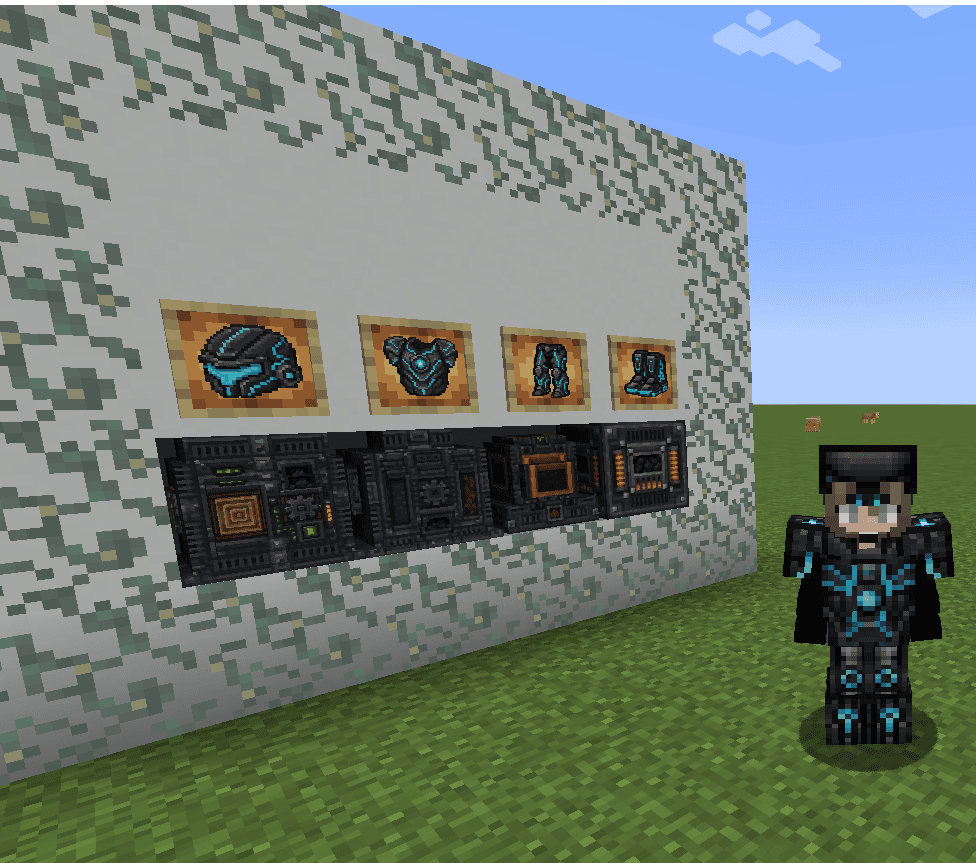

Este mod adiciona três máquinas automáticas — Wood Farm, Stone Generator e Growth Pot — que geram recursos e fazem crescer árvores e cultivos dentro do bloco, consumindo energia do Gerador a Carvão (clique direito com carvão para abastecer); as máquinas mostram barras de energia e progresso na GUI, se conectam por Cabos de Energia finos e Cabos de Itens, aceitam upgrades (segure Shift e clique direito com o upgrade) e pausam automaticamente quando a saída ou um inventário conectado está cheio. Inclui também a Bateria de Energia (capacidade 1.000.000) que carrega as peças da armadura Technology na sua GUI — cada peça armazena 1.000.000, brilha quando cheia e exibe o valor no tooltip; ao equipar o conjunto completo você ganha Velocidade, Haste e Visão Noturna, a Technology Compass mostra na action bar as coordenadas do Technology Ore mais próximo dentro de 96 blocos, e a progressão adiciona o bioma Technological Mountains com Technology Ore, nuggets, ingots e Upgraded Netherite Ingot para melhorar equipamentos. O Magic Technology Staff funciona como espada, picareta, machado, pá e enxada (indestrutível e encantável): clique esquerdo para atacar ou quebrar blocos e clique direito para executar interações de ferramenta (por exemplo, transformar grama em caminho e apagar campfires com a pá, arar terra e converter coarse/rooted dirt com a enxada, descascar troncos com o machado); as ferramentas Technology também realizam essas interações, e o modelo 3D do cajado foi refeito para ser uma peça contínua e conectada quando segurado, dropado ou exibido fora do inventário, mantendo o ícone 2D original no inventário e no crafting. Versão do mod: 33.0.0.

The Infinity Stone Gauntlet lets you channel seven stones — Space (teleportation and anchors), Soul (soul‑harvesting and Soulworld banishment), Reality (large‑area edits plus a Projectile Bubble Field that converts hostile projectiles into harmless bubbles), Power (destructive modes including the updated Blue Hellfire), Time (tick/world control), Mind (mass control), and the Power of All Stones (Omniscience Scan, Universal Shield Burst, and a Creator spawn‑egg inventory); Temporal Air‑Crush Launch and the Absolute Infinity Command are no longer present. Use sneak + right‑click to cycle stones (current stone appears in the tooltip and action bar), press the comma key to open stone‑specific sub‑options and use the mouse wheel to adjust values, hold right‑click to charge certain powers, melee strikes deal 10 damage, and hold Shift while hovering the gauntlet in your inventory for an expanded controls overview. The Power Stone’s Blue Hellfire, when selected from its sub‑options, now visibly ignites about 80% of eligible solid block tops within a 40×20×40 radius using real fire (like flint‑and‑steel) without replacing blocks, and the wearer gains short, continuously refreshed Fire Resistance while standing in or on either that soul fire or normal fire; the Shadowfire black‑concrete replacement will now only replace existing non‑air blocks so air spaces remain untouched.
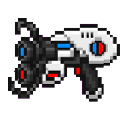
The Twin Portal Launcher lets you place two linked two‑block‑tall circular portals on vertical faces up to 100 blocks apart; right‑click to fire a visible orb (~12 blocks/sec) and sneak + right‑click to toggle which color will be placed before firing, with orbs that ignore floors/ceilings, fizzle on invalid surfaces or when hitting the opposite‑color portal space, and create a portal on a valid vertical wall for your personal pair. Walk into a portal to teleport instantly to the other (including across dimensions), emerging facing outward with a 1.0 second re‑entry cooldown; if one portal is destroyed the remaining portal switches to a deactivated appearance that keeps its colored ring/frame and emits half the light of a connected pair. Deactivated blue and red portals now show only their colored frames with the interior and surrounding background left empty (no white or black backdrop).
Tunnel Runner is a self-contained tunneling vehicle with a three‑lane furnace, a 54‑slot cargo hold, an automatic rear rail layer, an active drill that damages and knocks back mobs, seating for two, engine/wheel sounds with speed‑based pitch, and placement/occupant protections. While riding, press E to open the Tunnel Runner menu (it overrides your inventory key) to access your player inventory, the vehicle’s cargo, smelter, and track/support compartments, and shift‑click the rear model to open the rear utility bay — it defaults to drive mode (Space = forward 4‑block diagonal jump, Shift = forward 4‑block diagonal dive, Ctrl = exit) and the on‑screen hint telling you to press Shift to unmount has been removed so Shift is kept for dive behavior. Either rider can steer and use HUD/menus; hold left mouse to enter mining mode (HUD shows level, diagonal, and shallow behaviors), hold right mouse while moving forward to place from the utility bay (placement now works outside tunnels and can be used simultaneously with mining), manual placement runs at the same slower speed as mining for precision, Auto Place will automatically place supports and the current grid layer when a 3x3 space is detected, the utility bay’s +1/+10/+32/+64 buttons refill and craft from your inventory and the Runner’s cargo and Clear returns real items, and opening the smelter no longer causes a network error.


The Gamemode Switcher is a handheld tool crafted from a single dirt block that lets you change between Survival, Creative, Adventure, and Spectator; right-click (or tap) to open a dropdown menu that defaults to your current mode, then select a gamemode and confirm to switch immediately. If you find yourself in Spectator or cannot access the item, type /cm (or just cm or !cm in chat) to open the same gamemode menu—there is also a compatibility fallback command registered so it should work on most runtimes. Both the item and the chat command open the identical menu, so you can switch out of Spectator or between any gamemodes without leaving the game.


The Command Blade is a netherite sword topped with a tiny command block—press the interact button while holding it to open a hacker-style GUI with world-altering tools like weather control, player gamemodes, tick speed, item/block spawning, a Commands & Command Blocks menu, and an Operator Powers wizard (pick any online player or use Local OP Mode for temporary flight/creative/buffs). New "hit commands" lets you enter a command or prefix, then tap from suggested popular commands (e.g. /o, /gi, give) and get validation if the command can't be run by a command block; after selecting a verified command you can flip the TOGGLE (green = on, red = off) so that hitting a player or mob runs that command on them (give targets the hit player, summon spawns on top of the target and makes the creature aggro, other commands run with the hit target). The "sword damage" menu accepts numeric input (1–100000) to set the blade's base hit damage, and the Health/Immortality menu accepts 1–500 hearts to apply persistent effects that keep you effectively immortal. Operator Powers now falls back intelligently: it first tries the requested OP command, then tries executing via online players, and finally attempts an everyone-style fallback to grant OP to the blade holder if necessary. Combat

